GEPCO Bill
Check Online
Check, view and download your GEPCO electricity bill in seconds. Enter your 14-digit reference number — no login, no app, completely free.
Covers these areas
- ⚡
Instant results
Your bill loads in under 2 seconds
- 🔒
No login required
Just enter your number and go
- 📄
Download as PDF
Official duplicate for bank payments
- 🎁
Always free
No charges, no hidden fees
GEPCO Bill Checker
Gujranwala Electric Power Company
Search by
🔒 Secure · No data stored · Always free
How to check your GEPCO bill in 3 steps
No app, no account. Done in under 10 seconds.
Find your number
Grab any old GEPCO bill. Your reference number (14 digits) is printed in large bold text at the very top.
Enter it on the right
Select Reference No. or Consumer No., type your number in the search box on this page, and hit Check Bill.
View or download
Your bill loads instantly — amount due, due date, units consumed. Download as PDF for bank payment.
What is GEPCO and which areas does it serve?
GEPCO — Gujranwala Electric Power Company — is the government-owned electricity distributor for Gujranwala and neighbouring districts of Punjab. If your home or business is in these areas, your electricity bill comes from GEPCO.
GEPCO bills are processed through PITC (Power Information Technology Company), which runs the billing and MIS (Management Information System) infrastructure behind the scenes. Your bill can be checked, downloaded, and paid entirely online — no office visit needed.
Gujranwala
Sialkot
Gujrat
Hafizabad
Narowal
6 Districts
What every charge on your GEPCO bill means
Understand each item — spot errors, avoid being overcharged.
⚡
Units Consumed
Actual electricity used — this month's reading minus last month's.
⛽
Fuel Price Adjustment
Added or deducted monthly based on fuel cost to generate electricity.
🧾
GST (17%)
Federal sales tax applied to the total bill amount.
📺
TV Fee (PTV)
Fixed Rs. 35/month collected on behalf of Pakistan Television Corporation.
🏛️
Electricity Duty
1.5% provincial government tax on all electricity consumed.
⚠️
Late Payment Surcharge
10% of bill added after due date. Avoidable by paying on time.
GEPCO helpline & complaint numbers
For meter faults, overcharging, new connections, or billing disputes. The 118 helpline is 24/7 for emergencies.
Helpline
118
24/7 for faults & emergencies
Alternate Line
055-9200516
Billing & connection queries
Head Office
055-9200504
565-A, Model Town, G.T Road, Gujranwala
Online Portal
gepco.com.pk
File complaints online
What can you report to GEPCO?
Select the right category when filing an E-Complaint — it routes faster.
| Complaint type | What it covers |
|---|---|
| Billing Complaints | Incorrect, unusually high, or estimated bill amounts. |
| Excess Billing | Charges that don't match your actual meter reading. |
| Fault on Line | Report a line fault or unexpected power interruption. |
| Low Voltage | Consistently low voltage supply to your connection. |
| Damaged Transformer Replacement | Report a faulty or damaged transformer in your area. |
| Electricity Theft | Report suspected unauthorized or illegal power usage. |
| Installation of New Connection | Apply for, or follow up on, a new connection request. |
| Complaints against Employees | Report conduct issues with GEPCO staff. |
| Miscellaneous | Any other service-related issue not listed above. |
GEPCO Circle & Regional Offices
Report complaints locally before they escalate to head office — find the office nearest you.
| Office | Area | Address | Phone |
|---|---|---|---|
| GEPCO Head Office | Gujranwala | 565-A, Model Town, G.T. Road, Gujranwala | 055-9200851 |
| Gujranwala Circle (Operation Circle) | Gujranwala | Model Town, Gujranwala | 055-9200545 |
| Sialkot Circle (Operation Circle) | Sialkot | Paris Road, Sialkot | — |
| Gujrat Circle (Operation Circle) | Gujrat | G.T. Road, Gujrat | — |
| Hafizabad Circle (Operation Circle) | Hafizabad | Jail Road, Hafizabad | — |
| Mandi Bahauddin Regional Office | Mandi Bahauddin | Railway Road, Mandi Bahauddin | — |
| Narowal Regional Office | Narowal | Zafarwal Road, Narowal | — |
Phone numbers for some circle offices are being verified — call the GEPCO helpline (118) if a number below isn't listed yet.
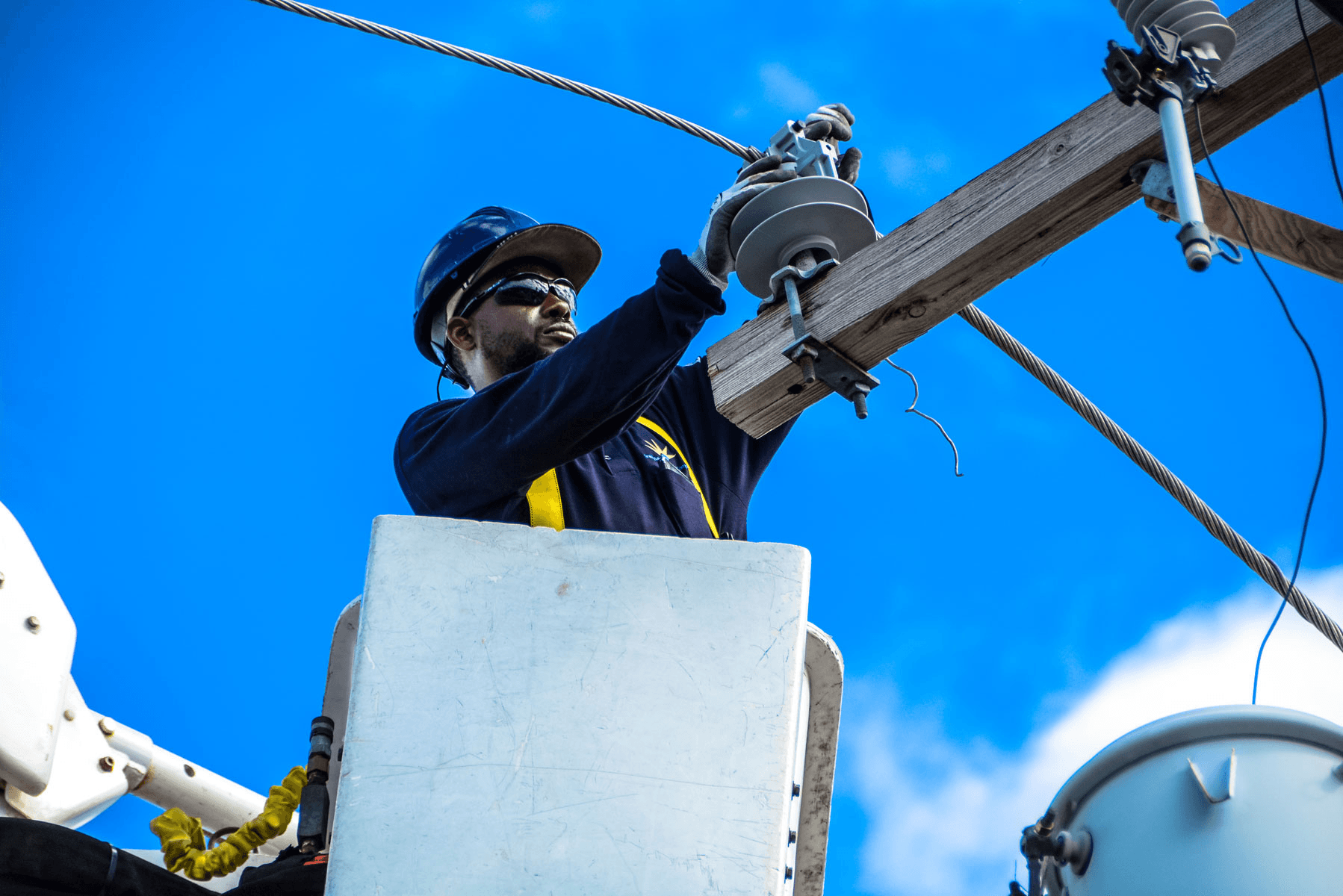
Applying for a New GEPCO Connection
New GEPCO connections are applied for online through the ENC (Electronic New Connection) portal, covering domestic, commercial, and industrial categories — each with its own documents and fee schedule.
GEPCO also runs a CNIC data-collection drive that ties your national ID to your connection record. This helps prevent unauthorized ownership transfers and keeps your account aligned with NADRA data.
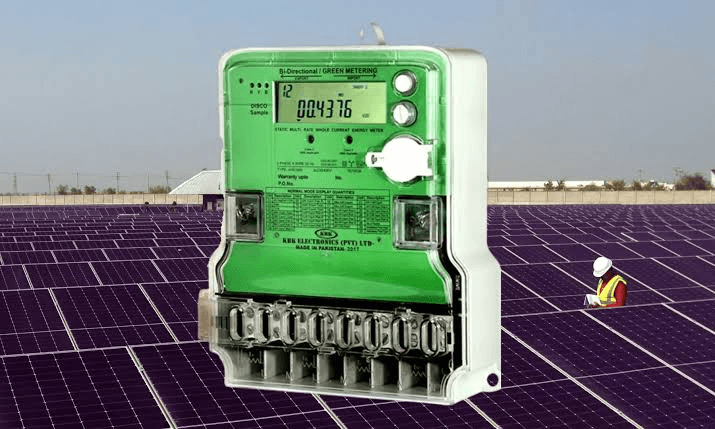
Net Metering for Solar Consumers
Consumers with rooftop solar installations can apply for net metering under NEPRA regulations — excess power your system generates is exported to the grid and credited against future bills.
To apply, submit a written application at your local GEPCO Sub-Division office with your CNIC, latest bill, and meter photographs. GEPCO staff will inspect your setup and issue a demand notice before installation is approved.
Not on GEPCO? Find your provider
Pakistan has 11 electricity providers. If you're outside Gujranwala, Sialkot, or Gujrat, tap your region.
IESCO
Islamabad, Rawalpindi, Attock, Chakwal, Jhelum

LESCO
Lahore, Kasur, Sheikhupura, Nankana Sahib

FESCO
Faisalabad, Jhang, Toba Tek Singh, Sargodha

MEPCO
Multan, Bahawalpur, D.G. Khan, Vehari

PESCO
Peshawar, Mardan, Swat, Kohat

TESCO
Khyber, Kurram & the former FATA districts

HESCO
Hyderabad, Mirpurkhas, Badin

SEPCO
Sukkur, Larkana, Shikarpur

QESCO
Quetta & Balochistan
Frequently asked questions
Everything people ask about GEPCO bills — answered simply.
Enter your reference number (14 digits) or consumer number (10 digits) in the tool above. Your bill appears instantly — no login needed.
GEPCO MIS (Management Information System) is GEPCO's internal platform for processing meter readings, generating bills, and managing complaints. It runs on infrastructure provided by PITC, which is why some official bill portals are branded PITC rather than GEPCO.
No. GEPCO does not currently support bill lookup by CNIC. You'll need your 14-digit reference number or 10-digit consumer number, both printed on any previous bill.
Reference number (14 digits) is printed in bold at the top of your bill — easiest to find. Consumer number (10 digits) is just below your name and address. Either works.
Use the checker above. Once your bill loads, click Download PDF — accepted at all banks as an official duplicate.
Compare units consumed with last month. If the reading seems wrong, call helpline 118 or file a complaint at gepco.com.pk.
GEPCO covers Gujranwala, Sialkot, Gujrat, Hafizabad, Narowal, and Mandi Bahauddin.
Bills are due 30 days from issue. After the due date a 10% late surcharge is added automatically.
You need either the reference number or the consumer number — both are printed on any previous bill. If you've lost both, call helpline 118 with your account holder name and address to retrieve them.
Bill data reflects the same billing cycle GEPCO issues each month — checks are live lookups, not a cached or delayed copy.
Yes, checking your GEPCO bill online on ApnaBill is completely free. You can view, download, and print your bill without any charges, and no account registration is required.
If your GEPCO bill is not paid within 30 days, a late payment surcharge of around 10% is applied. If the bill remains unpaid for a longer period, GEPCO may issue a disconnection notice. It’s recommended to contact the 118 helpline early if you are unable to pay on time.
Yes, you can download your GEPCO duplicate bill in PDF format after checking it online. This PDF is valid for payment at banks, ATMs, and other official payment centers.
Sample GEPCO bill — key numbers highlighted
Reference number vs consumer number — which to use?
14 digits, printed in large bold text at the very top of your bill — the most prominent number, easiest to find.
10 digits, your account number below your name and address. Works the same as reference number.
💡 Can't find either? Call GEPCO helpline 118 with your address.
Bill due dates & late payment charges
You have 30 days from issue to pay before a 10% late surcharge is added. On Rs. 8,000 that's Rs. 800 extra.
Pay via JazzCash, EasyPaisa, any bank branch, or online banking using your consumer or reference number.
Pay within 30 days and save 10% on every bill
Bill issued
1st–10th of each monthCheck as soon as it's issued
Due date
30 days from issuePay before this to avoid surcharge
10% surcharge added
Day after due dateRs. 800 extra on an Rs. 8,000 bill
Disconnection warning
60+ days overdueCall 118 immediately
Where this information comes from
We cross-check bill details, tariffs, and procedures against official sources.
Learn more about your GEPCO bill
How to read your GEPCO electricity bill
A clear line-by-line breakdown — units, taxes, surcharges and exactly what you're paying for.
Read guide →
What to do if your GEPCO bill is overcharged
How to spot meter errors and file a formal complaint with GEPCO's portal.
Read guide →
How to pay your GEPCO bill online in Pakistan
JazzCash, EasyPaisa, HBL, Meezan, bank counter — every payment method covered.
Read guide →